
How it works
Automatic video scene detection for faster editing
Manually searching for cuts in hours of raw footage drains your energy before the real work even begins. HandySaw DS completely automates this process. It scans your video to generate a clean timeline of clips ready for your editor. You get straight to creative editing.
Scene detection methods
Optical detection
Optical detection analyzes your video stream frame by frame to catch transitions even under terrible lighting conditions or severe overexposure. This robust scanning gives you a highly accurate baseline. You can easily refine these initial results later using the built-in Manual Trimmer.
DV timecode scanning
The software extracts timestamps embedded directly within DV camera files. You get perfect accuracy for original recordings. Every single camera start or stop automatically becomes a reliable cut point on your timeline.
Screenshots
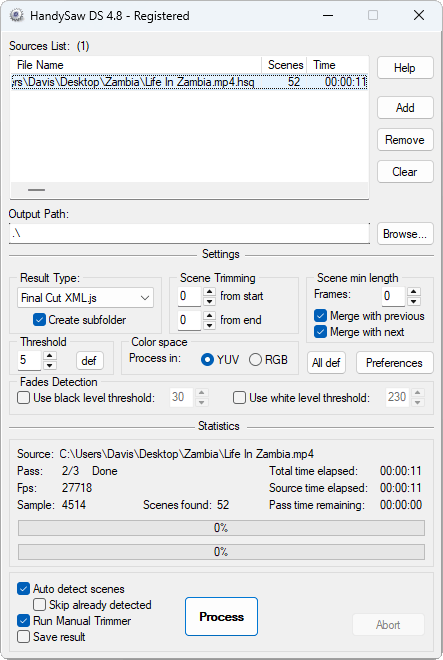
Main window
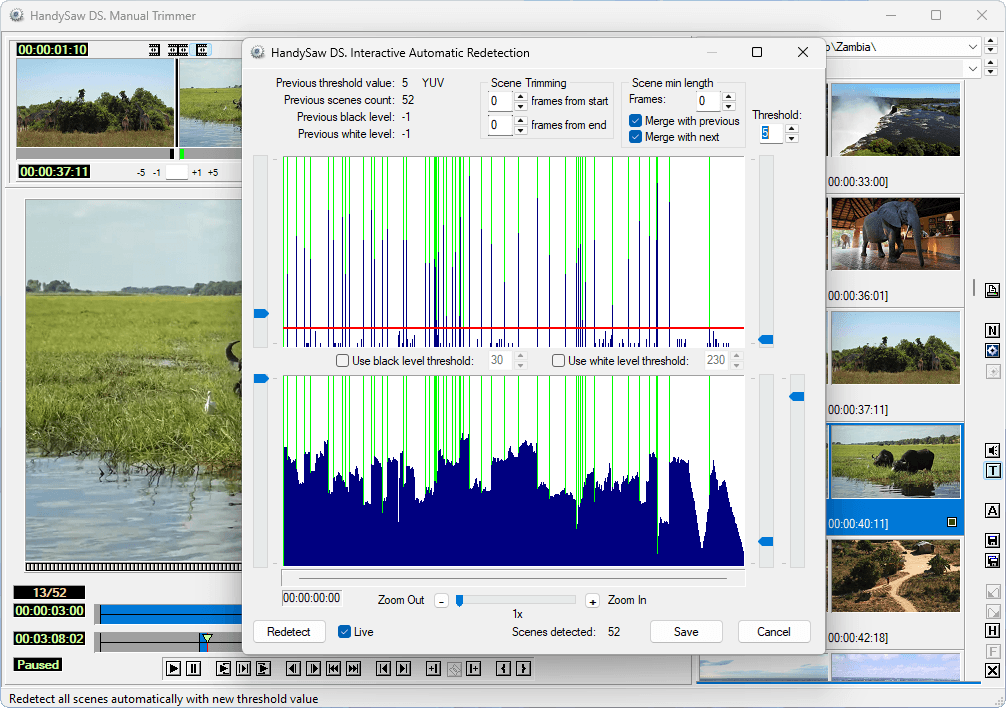
Re-detect dialog
Core features and workflow tools
Trimmer
Review detected cuts instantly using the built-in viewer. You can trim, split, merge, and rename clips without leaving the application. The software provides adjustable keyboard shortcuts alongside ninety-nine undo levels to encourage completely safe experimentation. Full Trimmer details →
Plugin-based output
Export projects seamlessly through the integrated JS and VBScript plugin system. It ships with pre-configured scripts for Final Cut XML, EDL, Adobe Premiere, DaVinci Resolve, and EDIUS. All output formats →
FFmpeg splitting
Save scenes as separate files instantly. Re-encoding presets ensure your boundaries remain perfectly accurate across many different video formats. You can also bypass re-encoding entirely using stream copy for intra-frame formats like DV and MJPEG. Splitting options →
Batch mode + CLI
Queue multiple files for completely unattended processing overnight. The comprehensive command-line interface covers absolutely all available application settings. Automate complex studio workflows effortlessly.
YUV or RGB detection
Match the color space to your media. This dramatically improves detection accuracy for footage with highly unusual color characteristics. Always switch between YUV and RGB modes depending on the exact camera hardware used for filming.
Clip Sheet reports
Generate comprehensive visual reports of your entire scene list. You can print the document immediately. Exporting a sequence of BMP files provides excellent reference material for everyone on set.
Exports to your NLE
Built-in Trimmer
Fine-tune your scene list before exporting to your video editor.
The integrated viewer provides total control over timeline boundaries. Adjust start points or add descriptive names to specific clips before sending the project to your main editing suite. A robust system with ninety-nine undo levels lets you experiment freely.
Read full Trimmer details →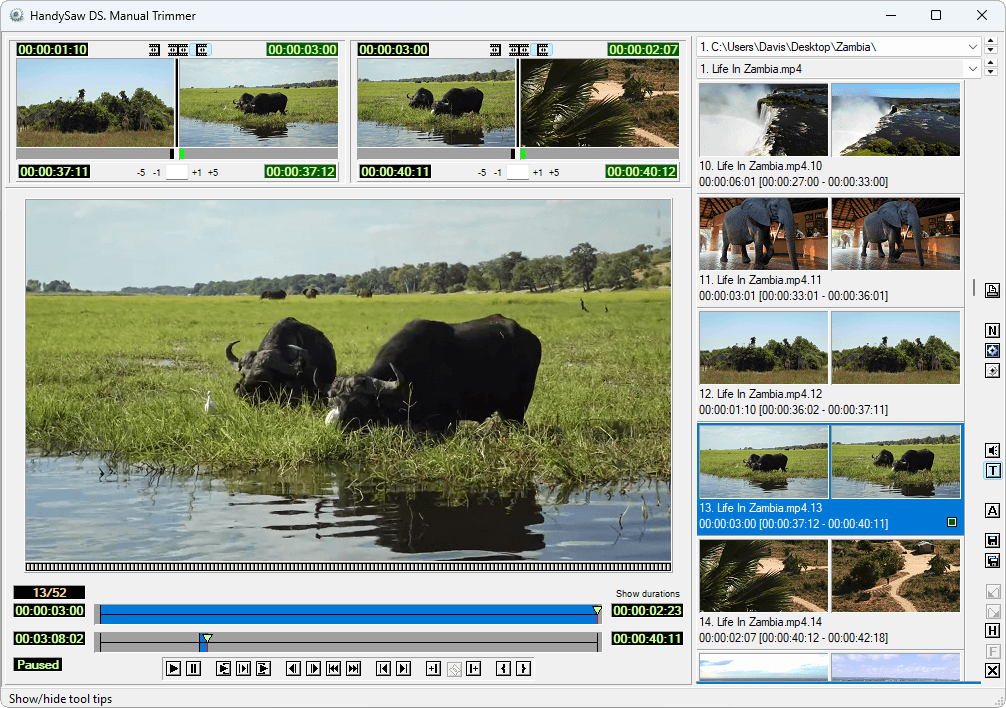
System requirements
Start processing your video archives today
No time limits. Demo restricted to 15 scenes. See all demo limits