
Flash Guard – use pen drives without fear
Description
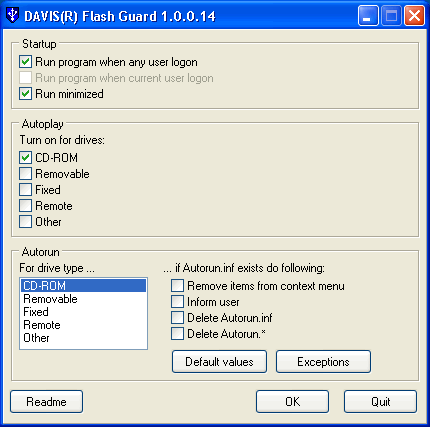
Many modern viruses uses Autorun feature to spread themselves via flash drives.
And often anti-virus software cannot stop it.
You or your administrator can turn off Autoplay feature but virus still can infect your system via Autorun.inf file on flash drive - Autorun feature.
Flash Guard can block Autorun and stop viruses!
It starts up during user logon and monitors all drives in the system.
When new media inserted(Compact Disk for example) or new drive added(USB flash drive) Flash Guard can do these actions on this new volume:
- Remove additional context(right-click) menu items, which added by Autorun.inf
- Iform user about Autorun.inf file presence
- Remove autorun.inf file
- Remove all autorun.* files
Program behaviour is fully customizable.
Removing menu items is the main feature of Flash Guard. Thus you can even not delete virus from flash drive but you may open it via Explorer without being infected.
License
The program can be used free for any purpose.
If you like this software and want to express thanks to me, look here.